margo#

A Rust Wayland compositor and a full desktop shell — batteries included.




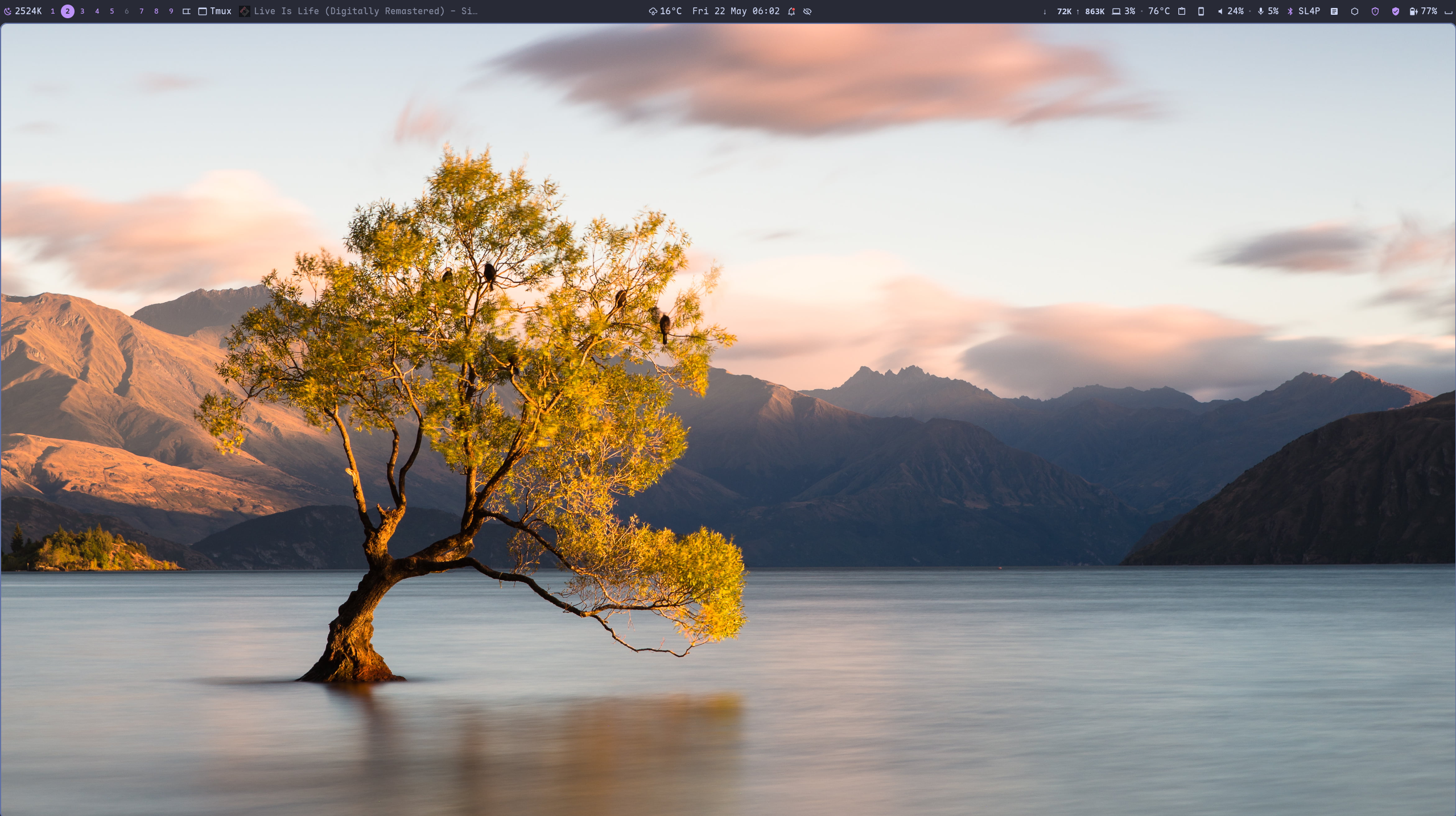
margo is a Wayland compositor in the dwl/dwm tradition — Rust + Smithay, tags instead of workspaces, a 14-layout tiling catalogue. But margo ships something the others don't: mshell, a complete GTK4 desktop shell — bars, 30-plus widgets, an app launcher, a dashboard, quick-settings, notifications, OSD, a lock screen, and a settings app — all recoloured from your wallpaper with Material You. Plus a native, GNOME-free screen-share and screenshot portal.
You don't assemble a desktop around margo. You install it and you have one.
Why margo?#
niri, Hyprland, and mango are excellent compositors — but each leaves the desktop to you: pick a bar (waybar), a launcher (rofi/fuzzel), a notification daemon (mako/swaync), a lock screen, an OSD, a portal, a theming pipeline, and wire them together. margo is a compositor and the desktop, designed as one piece and themed as one piece.
| margo + mshell | niri | Hyprland | mango | |
|---|---|---|---|---|
| Language | Rust | Rust | C++ | C |
| Bundled desktop shell | ✅ mshell | ➖ BYO | ➖ BYO¹ | ➖ BYO |
| Bar + 30-plus widgets | ✅ | waybar | waybar | waybar-dwl |
| App launcher (15 providers) | ✅ | rofi | rofi | rofi |
| Dashboard + quick-settings | ✅ | — | — | — |
| Notifications / OSD / lock | ✅ | BYO | hypr* | BYO |
| GNOME-free window screen-share | ✅ margo-portal | xdp-gnome | xdph | — |
| Native screenshot portal | ✅ margo-portal | xdp-gnome | xdph | — |
| Material You from wallpaper | ✅ matugen | BYO | BYO | BYO |
| Blue-light filter (built-in) | ✅ twilight | — | hyprsunset | — |
| Tags (not workspaces) | ✅ 9 multi-select | columns | workspaces | ✅ dwm tags |
| Tiling layouts | 14 | scrollable | dynamic | dwl set |
| Embedded scripting | ✅ Rhai | — | hyprlang | — |
| Hot-reload everything | ✅ mctl reload |
✅ | ✅ | ✅ |
¹ Hyprland's desktop is a family of separate hypr* projects you install and configure individually.
The honest pitch: niri's scrollable tiling and Hyprland's ecosystem are great.
margo's bet is one integrated, modern, Rust stack — compositor + shell +
login (mlogind) + portals — that looks polished and works out of the box.
Showcase#
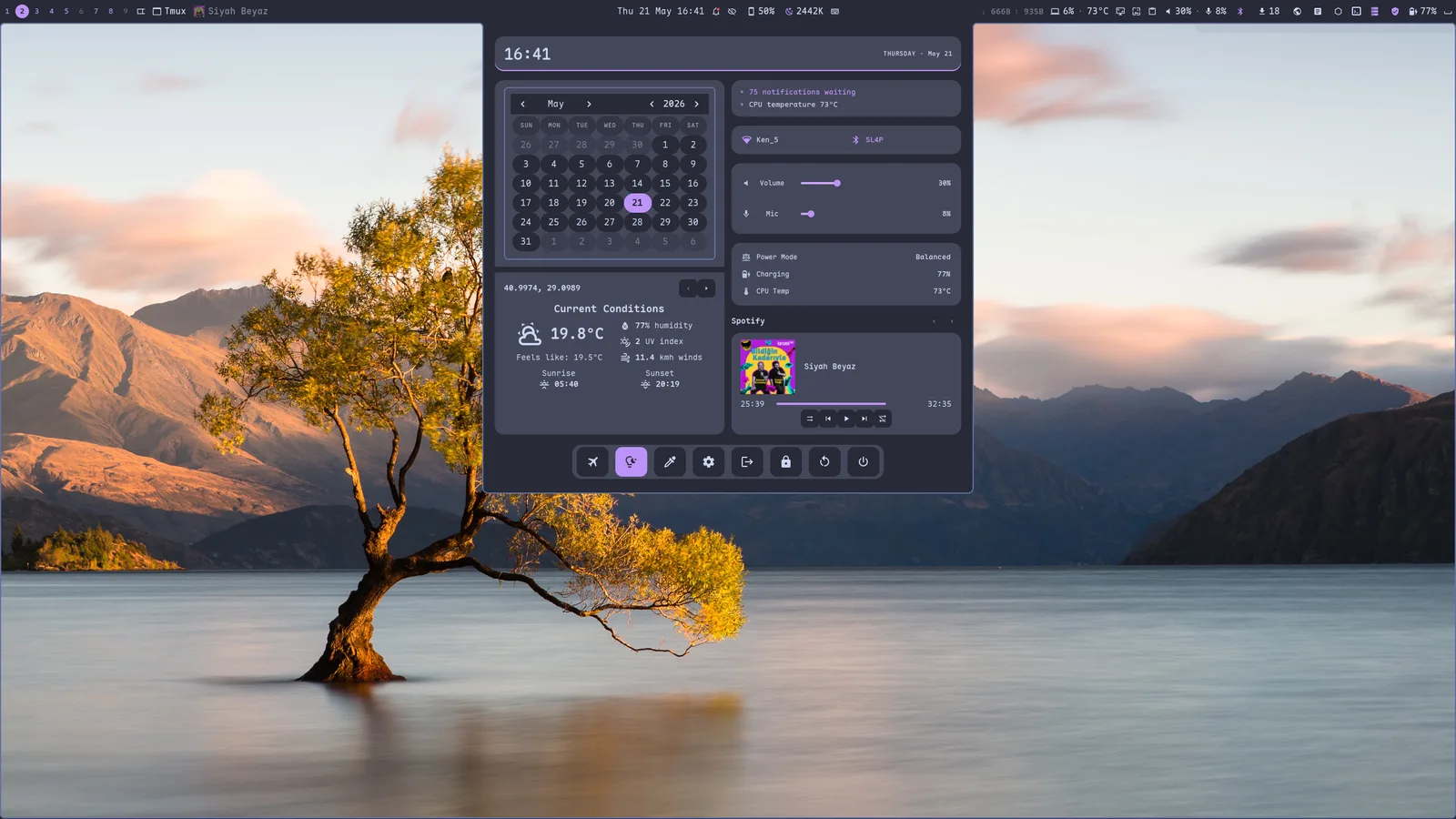
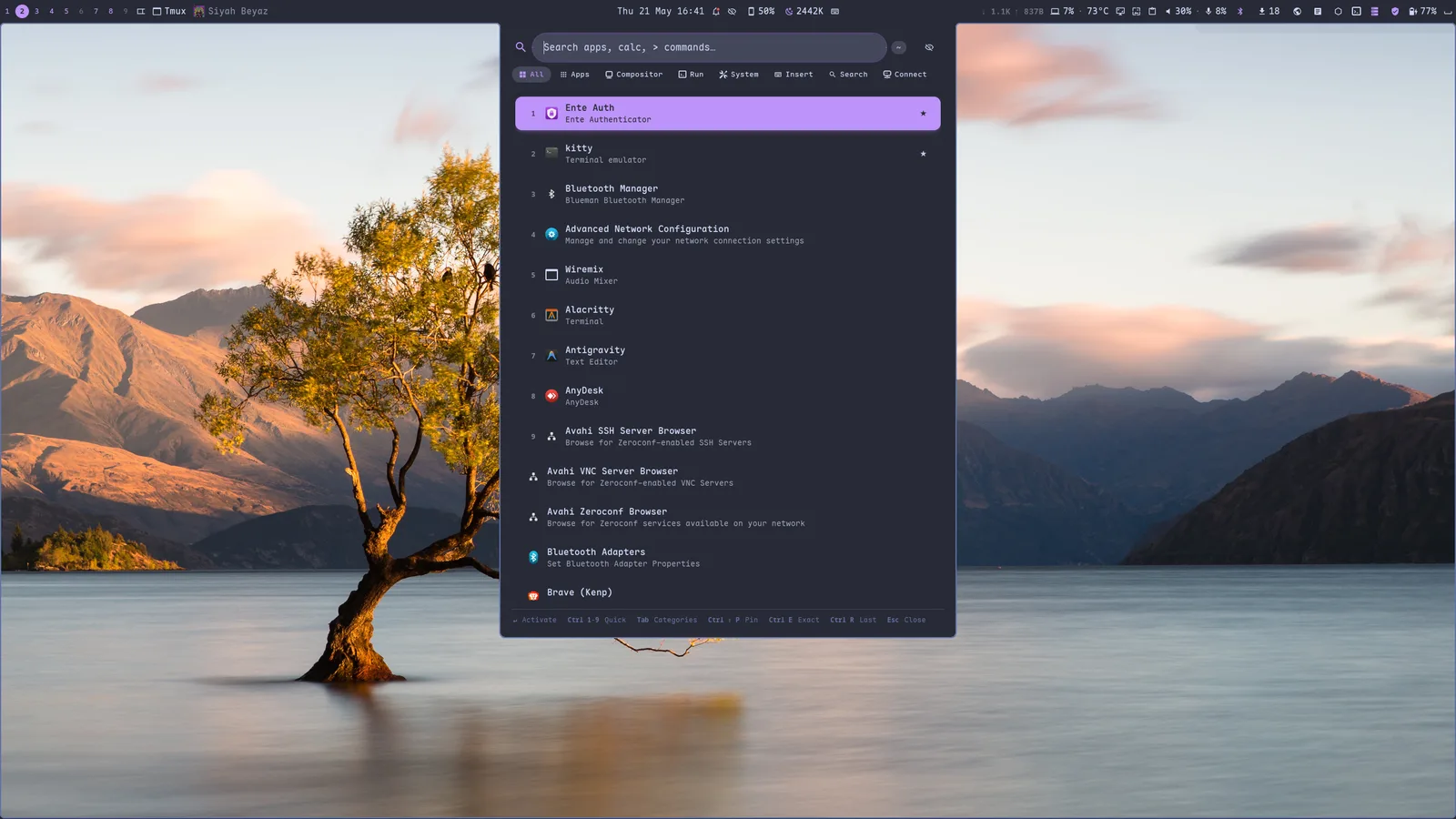
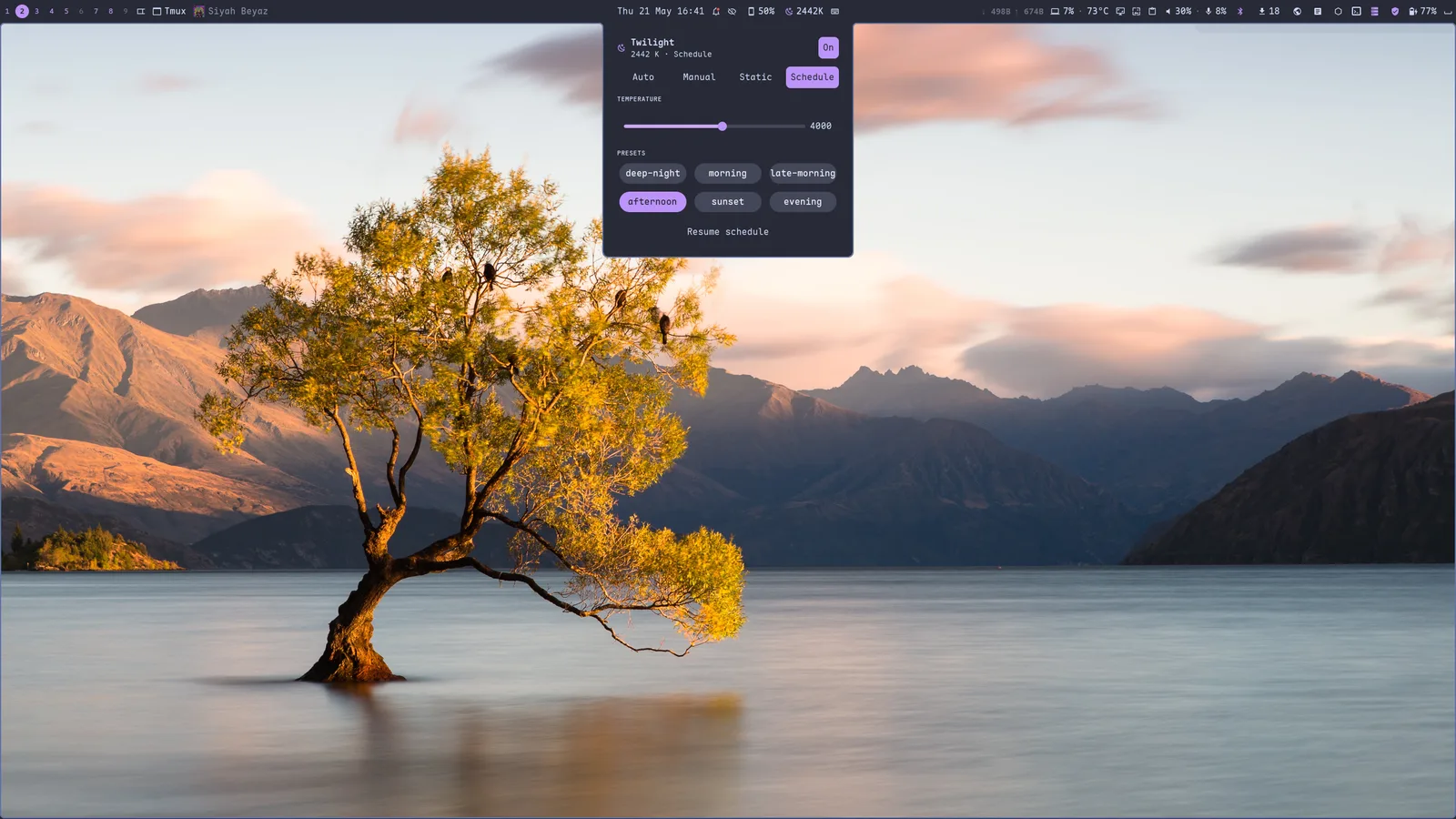
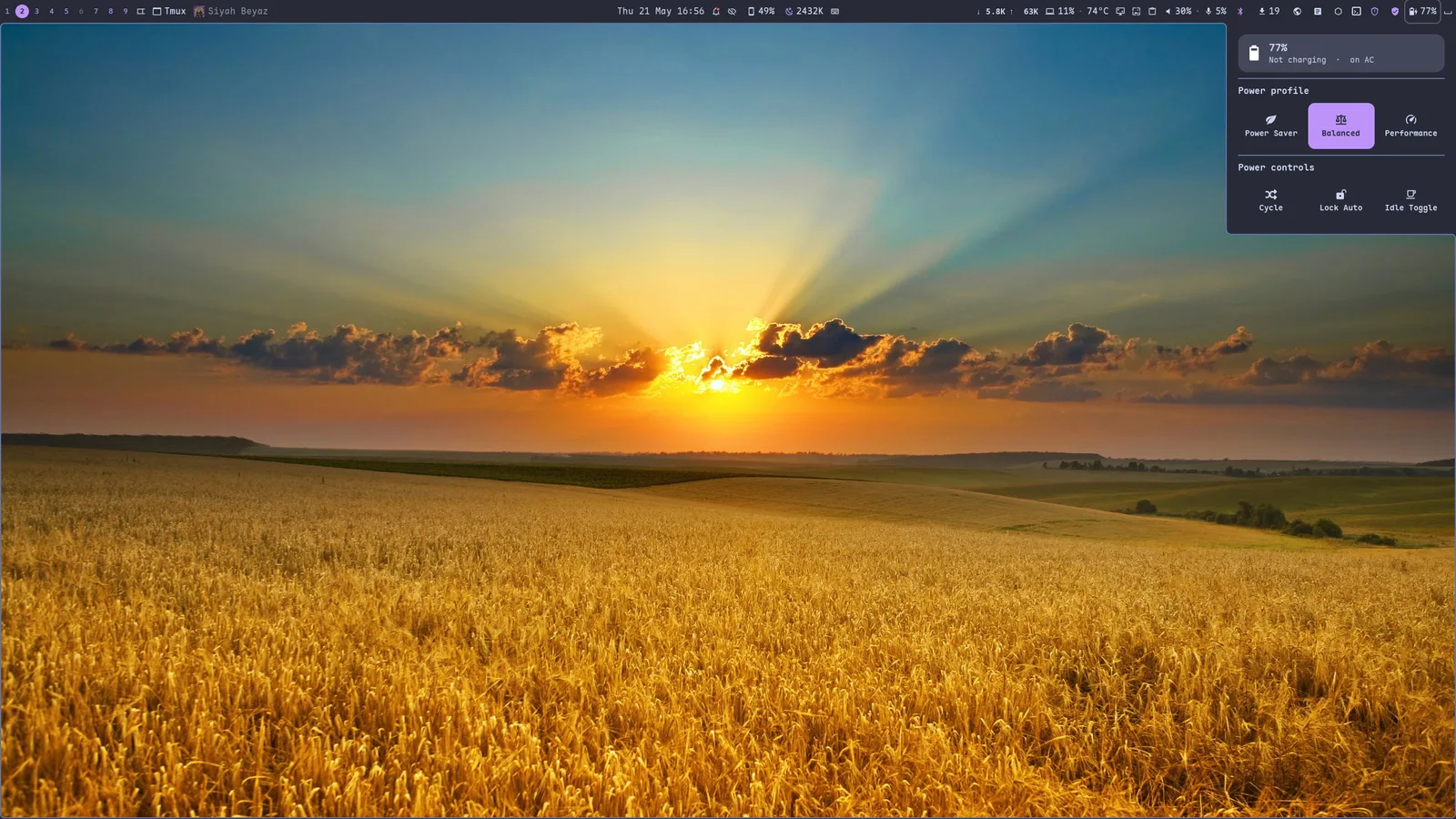
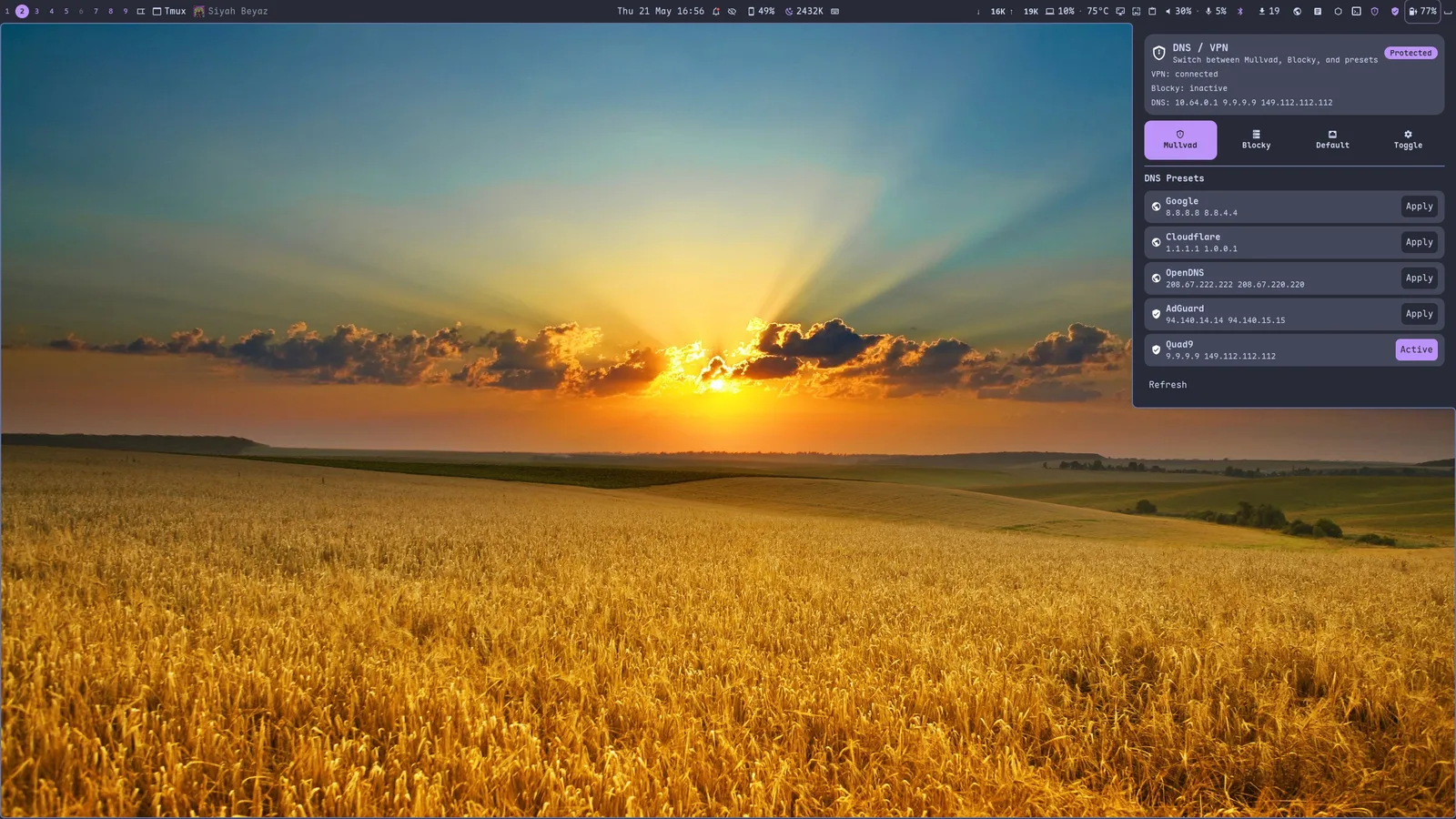
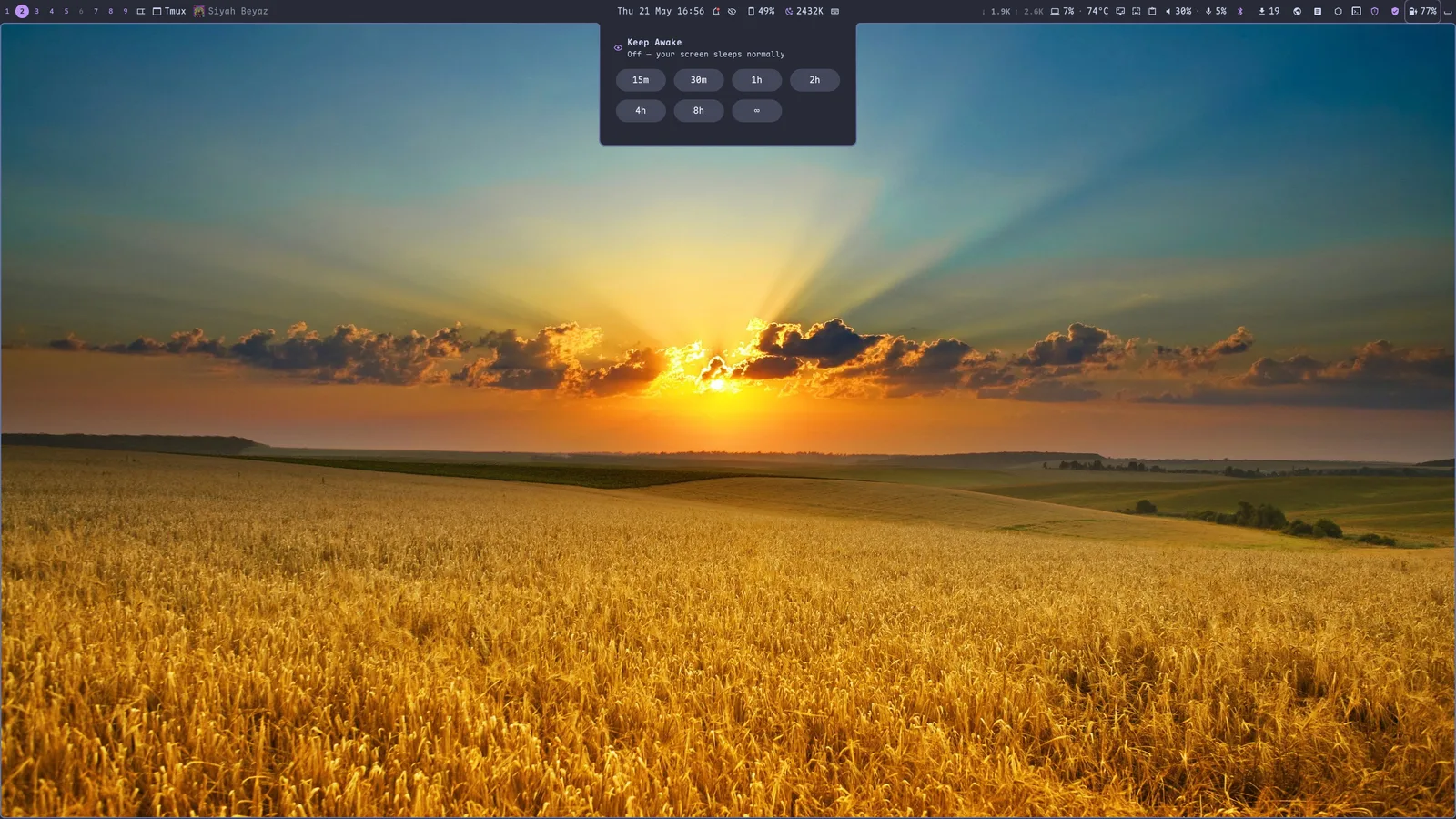
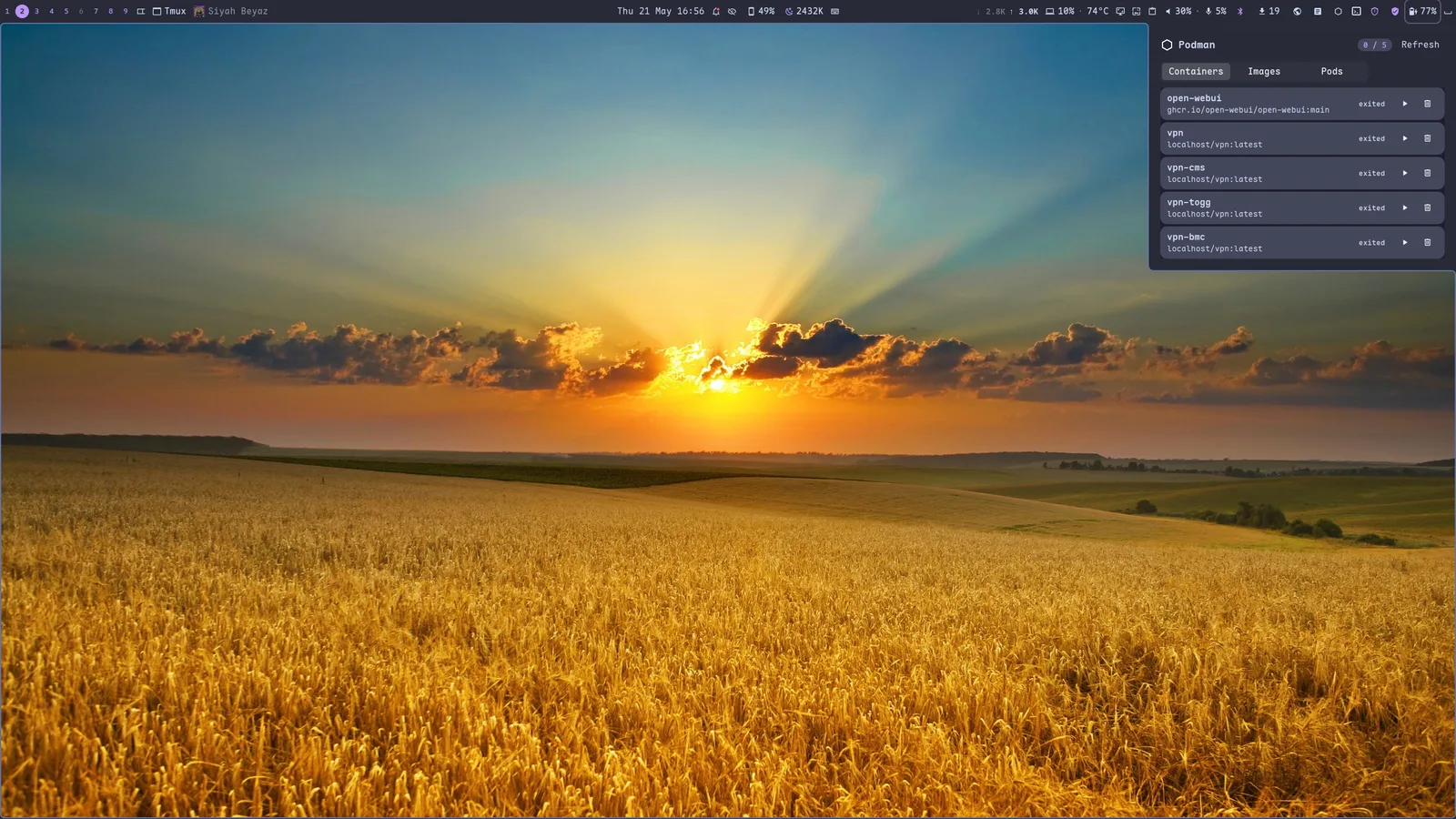
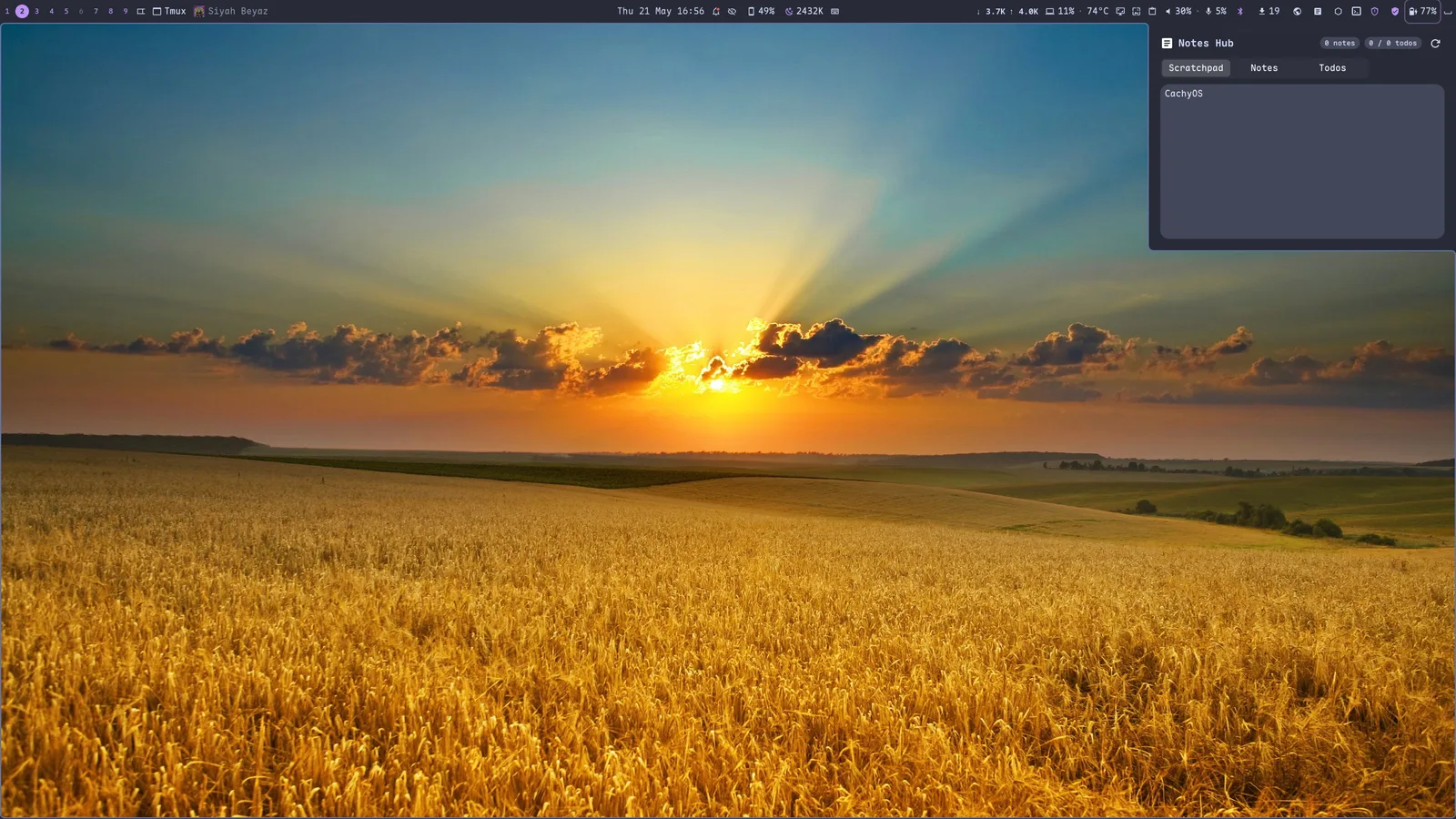
Everything below is part of the default install — no extra packages, no glue scripts. The whole shell recolours itself from your wallpaper.
The compositor#
- Tags, not workspaces. Nine multi-select tags, dwm-style: press the same tag twice to bounce back, view a union of several at once, pin tags to a home monitor, or regex-match windows into tags at map time.
- Layouts that remember. Tile, scroller, grid, monocle, deck, dwindle, plus center / right / vertical mirrors and a global overview. Each tag keeps its own layout; switch tags and the layout follows.
- Animations done right. Niri-style spring physics with mid-flight retarget for window movement; tuned bezier curves for open / close / tag / focus / layer transitions. Drop shadows, rounded corners, focus-fade opacity, optional rounded screen corners.
- Modern protocol stack. DMA-BUF screencopy,
pointer_constraints+relative_pointerfor FPS games,xdg_activationwith anti-focus-steal, runtimewlr_output_management(mode + position apply live), VBlank-accuratepresentation-time,wp_color_management_v1for HDR-aware clients. See the protocol comparison. - Window rules with PCRE2. Float password prompts, pin apps to tags, blackout password managers from screencasts, swallow terminal children, force CSD per-app — all by
app_id/titleregex. - Embedded scripting. Drop
~/.config/margo/init.rhai; call any compositor action from a sandboxed Rhai interpreter and hookon_focus_change/on_tag_switch/on_window_open/on_window_close. Plugins via~/.config/margo/plugins/<name>/. - Hot-reload + DRM hotplug.
mctl reload(or Super+Ctrl+R) re-applies rules, keybinds, monitor topology, animation curves, and gestures with no logout. Dock / undock and multi-monitor hotplug work cleanly. dwl-ipc-v2compatible. Still a drop-in for noctalia, waybar-dwl, fnott, and any other dwl/mango widget — if you'd rather bring your own.
The shell (mshell)#
A GTK4 + relm4 desktop shell that talks to margo over dwl-ipc-v2 and mirrors
its state live. Everything below is configured from a single YAML profile — no
scripting glue.
- Top/bottom bars with 30-plus widgets. Tags, layout switcher, active window, media player, clock, a rich dashboard, notifications, twilight, keybind cheatsheet, network console with traffic graphs, combined CPU / audio / power pills, Bluetooth, VPN, system-update count, clipboard history, screenshot/recording, wallpaper, SSH sessions, DNS, UFW, Podman, IP, notes, tray — arrange any of them in any slot.
- App launcher with ~15 providers. Apps (fuzzy + frecency), calculator, window switcher, SSH, clipboard, emoji, symbols, web search, Arch packages, audio devices, Bluetooth, power actions, scripts, settings deep-links — with Tab provider cycling, pin/unpin, exact-match toggle, and quick-activate keys.
- Dashboard + quick-settings. A hero clock, calendar + weather, an at-a-glance "overview intelligence" card, connectivity, audio, system status, media — plus a quick-action grid (airplane, nightlight, color picker, lock, logout, reboot, shutdown).
- Material You theming. matugen extracts a palette from your wallpaper and recolours the whole shell and the compositor's window borders. Wallpaper rotation, dark/light, and a live theme picker are built in.
- Built-in twilight. A blue-light filter with Auto / Manual / Static / Schedule modes, live temperature preview, and schedule presets — no
wlsunset/hyprsunsetneeded. - The essentials, integrated. Corner-toast notifications with history, volume/brightness OSD pulses, a PAM lock screen, idle management (dim → lock → suspend), clipboard history with pinning, polkit auth dialogs, and a native settings window.
Screen sharing & screenshots — GNOME-free#
margo ships margo-portal, its own xdg-desktop-portal backend, so a
margo session needs no xdg-desktop-portal-gnome at all:
- Window & full-screen sharing in Helium / Chromium / Firefox meeting clients (Meet, Jitsi, …). The source picker is mshell's own chooser; capture runs through the compositor's PipeWire pipeline.
- A native Screenshot portal — apps that ask the portal for a screenshot get one straight from the compositor.
- Plus the standalone tools:
mscreenshot(region / window / output → file + clipboard + satty/swappy),mpicker(a zoom-lens colour picker), and a screenshot widget with RGB readout, magnifier, and inline annotation.
Install#
Arch / CachyOS — straight from the AUR:
Any distro — the bundled installer:
git clone https://github.com/kenanpelit/margo
cd margo
./install.sh            # detects your distro: Arch/CachyOS or Ubuntu/Debian
One installer builds, installs, and uninstalls margo. See the install guide for the per-distro details (and the GTK ≥ 4.20 requirement on Debian/Ubuntu).
Where to next#
-
Install
install.shfor Arch/CachyOS or Ubuntu, source build, or Nix flake. -
Configure
~/.config/margo/config.conf— tags, rules, keys, animations. -
Companion tools
mctl,mlayout,mscreenshot,mpicker— drive margo from the shell. -
Scripting
Embedded Rhai engine + plugin packaging.
-
vs niri / Hyprland
Side-by-side Wayland protocol surface.
-
Roadmap
What's shipped, what's queued.
Acknowledgements#
Built on Smithay (compositor toolkit). Patterns and inventory borrowed from niri (focus oracle, hotplug, screencast portal, transactional resize), mango (feature inventory, IPC surface, default keybinds), dwl (the original dwm-on-wlroots), anvil (Smithay's reference compositor), and Hyprland (color-management protocol shape).
Original portions of dwl, dwm, sway, tinywl, and wlroots are preserved under their respective licenses.